When an employee has multiple employee records associated with them, they must be merged into a single record. This ensures that all data associated with the employee is connected to a single record and that the employee will have only one login for the R365 Mobile App.
Why an Employee Might Have Multiple Employee Records
Employees Who Work at Multiple Locations
When a new employee is entered into the POS, their information will be polled into R365 at the end of the night with the Daily Sales Summary, and an employee record is automatically created for them. When an employee works at multiple locations, a separate employee record is created from each POS, resulting in multiple records for the same employee.
Employees Added to R365 Before Starting Work
Before an employee begins work, an employee record is often manually created in R365 as part of onboarding. This makes the employee available for scheduling and payroll before they appear in POS data. When the employee begins work and first appears in POS data, R365 automatically creates an additional employee record.
Merging Restrictions
Only one of the selected employee records can be onboarded to R365 payroll. If more than one of the selected employee records has already been onboarded to R365 payroll, the merge will not be processed. For assistance merging multiple employee records that have been onboarded to payroll, please contact R365 Support.
When employee record updates are configured for Workflows, records with pending changes cannot be merged. All pending changes must be approved or denied before the merge can proceed. Pending changes appear on the Summary tab of employee records.
Merge History
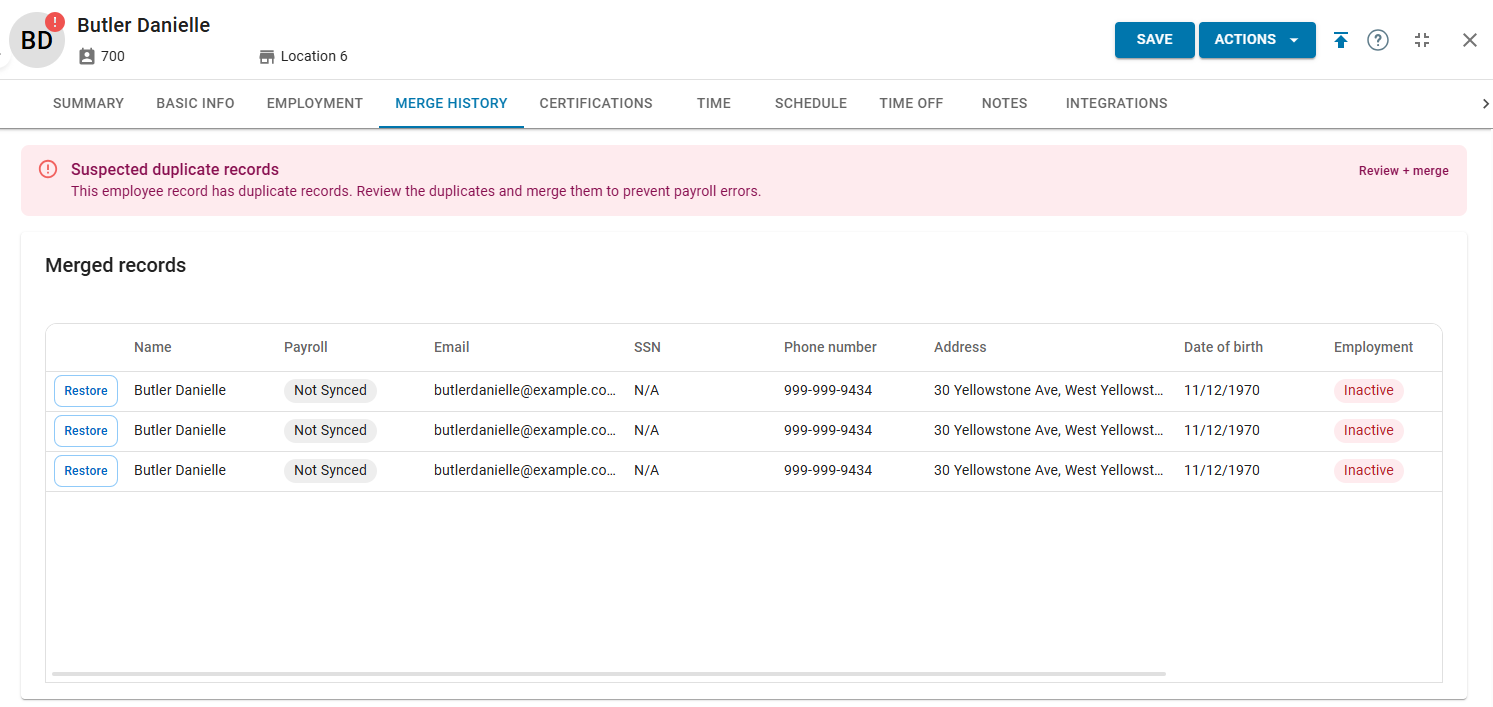
The Merge History tab on an employee record displays a log of all merged records associated with the employee. From this tab, users can view merge history and unmerge employee records.
Merging Employee Records
Merge Duplicate Employees Wizard
The Merge Duplicate Employees wizard consolidates duplicate employee records into a single primary record.
The wizard launches from the employee record of the employee whose records need to be merged. The Suspected duplicate records section, which contains the Review + merge button, appears only when the system has identified duplicate candidates for that record. If the section is not visible, no duplicates have been detected.
Bulk Employee Merge Wizard
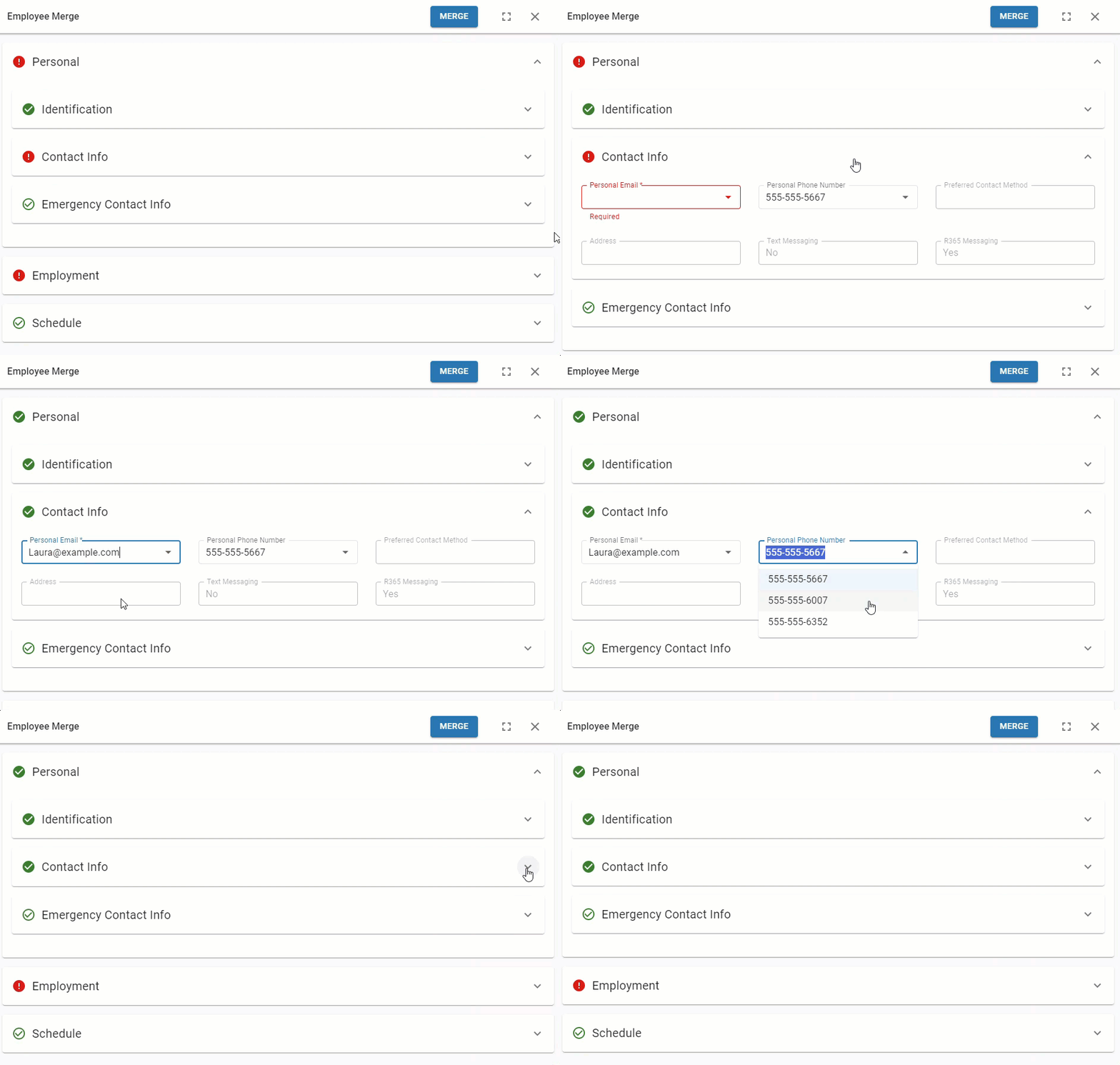
The Employee Merge wizard merges employee records using the bulk edit menu on the Employees page. After selecting up to 20 employee records to merge, the Employee Merge wizard provides control over how they are merged.
The Employee merge wizard is only available when when the updated employee record is enabled. Contact your CSM to learn more.
Legacy Employee Record Merge
The option to merge employee records directly from an employee record is only available when the legacy version of the employee record is enabled.
The direct merge option on a legacy employee record merges the displayed record into a selected employee record. For conflicting fields, data from the target record is retained.

Merge Import
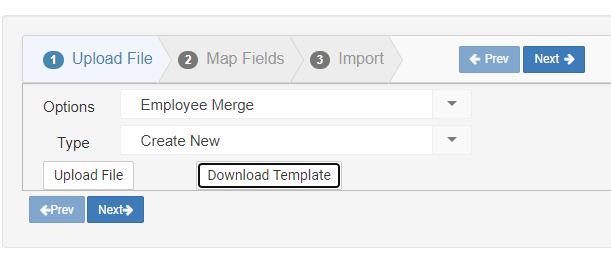
The Import tool supports bulk merging of employee records. Each merge combines a source record into a selected target record. For conflicting fields, data from the target record is retained.
Merging employee records through the import tool cannot be undone. Verify all record pairings before initiating a merge import.
The employee merge import is not available when R365 Payroll is enabled.
Impact of Merging Employee Records
Merging employee records will have the following impacts to other areas of R365:
Employee Messages - Messages sent to/from any of the merged employees will be attributed to the final merged employee.
Scheduled Shifts - Shifts assigned to any of the merging employees will be updated to the final merged employee.
If scheduled shifts overlap, only the published shift will be retained.
Labor Data - Punch data, tips, and other earnings on the DSS for any of the merging employees will be attributed to the final merged employee.
Merged Employee Record Data
Since most fields within an employee record can only contain one value, only one employee record's data will be retained for conflicting fields. Merging employees via the Employee Merge wizard will allow users to choose which value is retained for fields with conflicts.
When merging employees via the legacy direct merge or the employee merge import, the data from the employee record that is being merged into will be retained for conflicting fields.
The fields from the following tabs/sections are retained from all of the employee records in the merge:
Employee Record Tab | Section |
|---|---|
General Tab |
|
Payroll Tab |
|
Taxes Tab | All Sections |
Documents Tab | All Folders |
The data retained for the following fields is determined by the system:
Field | Notes |
|---|---|
Employee Photo | If any merging record has an employee photo, one photo is retained. |
Primary Job | The oldest primary job from the merging records is set as the merged record's primary job. |
Availability | When merging via the Employee Merge wizard, the most restrictive availability from the merged employee records will be retained. The retained availability settings can be manually edited in the Employee Merge wizard. |
Employment Status | Active Status If any of the selected employee records are in 'Active' status, the final merged employee record is set to 'Active'. Leave & Separated Status If all of the selected employee records are in 'Leave' status, the merged record is set to 'Leave'. If all of the of the selected employee records are in 'Separated' status, the merged record is set to 'Separated'. If the selected records have a mix of leave and separated statuses, the default record's status is retained.
|
Required Fields (R365 Payroll) | If R365 Payroll is enabled, at least one selected record must contain data for the following payroll-required fields. These fields are not included in POS data and are absent from records created through the POS integration:
Before beginning the merge, ensure that at least one of the selected employee records contains data for these fields. |
Excluded from Payroll (R365 Payroll) | If only some of the selected records are marked ‘Excluded from Payroll’, the merged record is not marked ‘Excluded from Payroll’.
|
Employee Merges Report
The Employee Merges report lists possible duplicate employee records across all locations the viewing user has access to. For each suggested merge, the report identifies the duplicated information that triggered the suggestion.
